Insights | September, 2026
From Wireframes to Prototypes: A Practical Guide to Product Design
BrandubeLearn how wireframes and prototypes transform early product ideas into clear, testable experiences while reducing design and development uncertainty.

Table of Content
Overview Introduction What Are Wireframes? Why Wireframing Matters in Product Design From Wireframes to Interactive Prototypes Choosing the Right Fidelity Testing Prototypes with Real Users Turning Validated Designs into Development Common Product Design Mistakes to Avoid Conclusion Frequently Asked QuestionsOverview
Great digital products rarely begin with polished screens or lines of code. They begin with an idea, a problem, and a clear understanding of what the product needs to help users accomplish. Wireframes and prototypes provide the visual bridge between those early ideas and the final digital experience.
Wireframes help teams define structure, hierarchy, navigation, and functionality before investing heavily in visual design or development. Prototypes take that thinking further by creating interactive experiences that can be explored, tested, and refined before the product is built.
Together, wireframes and prototypes help product teams reduce uncertainty, identify usability issues earlier, communicate ideas more effectively, and create a stronger foundation for UX/UI design and development.
Introduction
Turning a product idea into a useful digital experience requires more than having a good concept. Teams need to understand how users will move through the product, what information they need, which actions matter most, and how different features should work together.
Moving directly from an idea into detailed interface design or development can make changes expensive and difficult. When problems are discovered after development has already started, correcting them may require significant design, development, testing, and project-management effort.
Wireframes and prototypes create an opportunity to solve many of these challenges earlier. They allow teams to visualize the experience, discuss possible solutions, test important interactions, and refine the product direction before committing significant resources.
The goal is not simply to create attractive screens. The goal is to create enough clarity around the product experience that designers, developers, stakeholders, and users can understand what is being built and why.
What Are Wireframes?
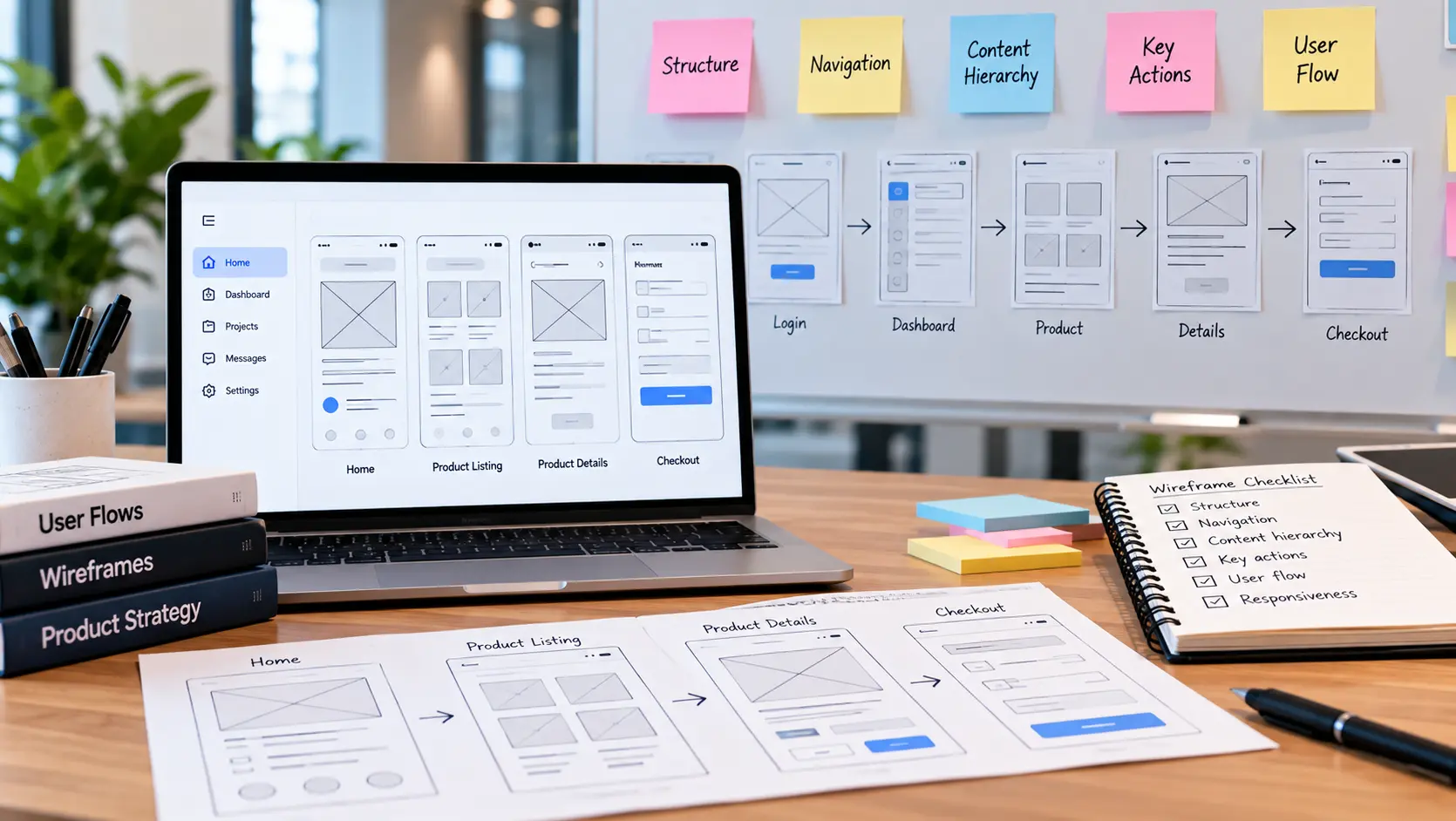
Wireframes are simplified visual representations of digital product screens. They focus primarily on structure, layout, content hierarchy, navigation, and functionality rather than final colors, typography, imagery, or visual styling.
A wireframe can show where a navigation system will appear, how content will be organized, where important actions will be placed, and how users will move from one part of the product to another.
Because wireframes are intentionally simple, they make it easier to discuss the product experience without becoming distracted by visual details. A team can concentrate on questions such as whether the page structure makes sense, whether an important action is easy to find, or whether a user journey contains unnecessary steps.
Depending on the project stage, wireframes may range from quick sketches and low-fidelity layouts to more detailed digital structures that closely represent the final interface hierarchy.
Why Wireframing Matters in Product Design
Wireframing gives product teams a practical way to explore ideas before they become expensive to change. Instead of immediately designing every visual detail, teams can first establish the underlying experience.
One of the biggest benefits is early iteration. Changes to a simple wireframe are generally easier to make than changes to a fully designed interface or developed application. This creates more room for experimentation and discussion.
Wireframes also improve communication. A product concept can be difficult to explain through written requirements alone. A visual representation gives stakeholders and development teams something concrete to review and discuss.
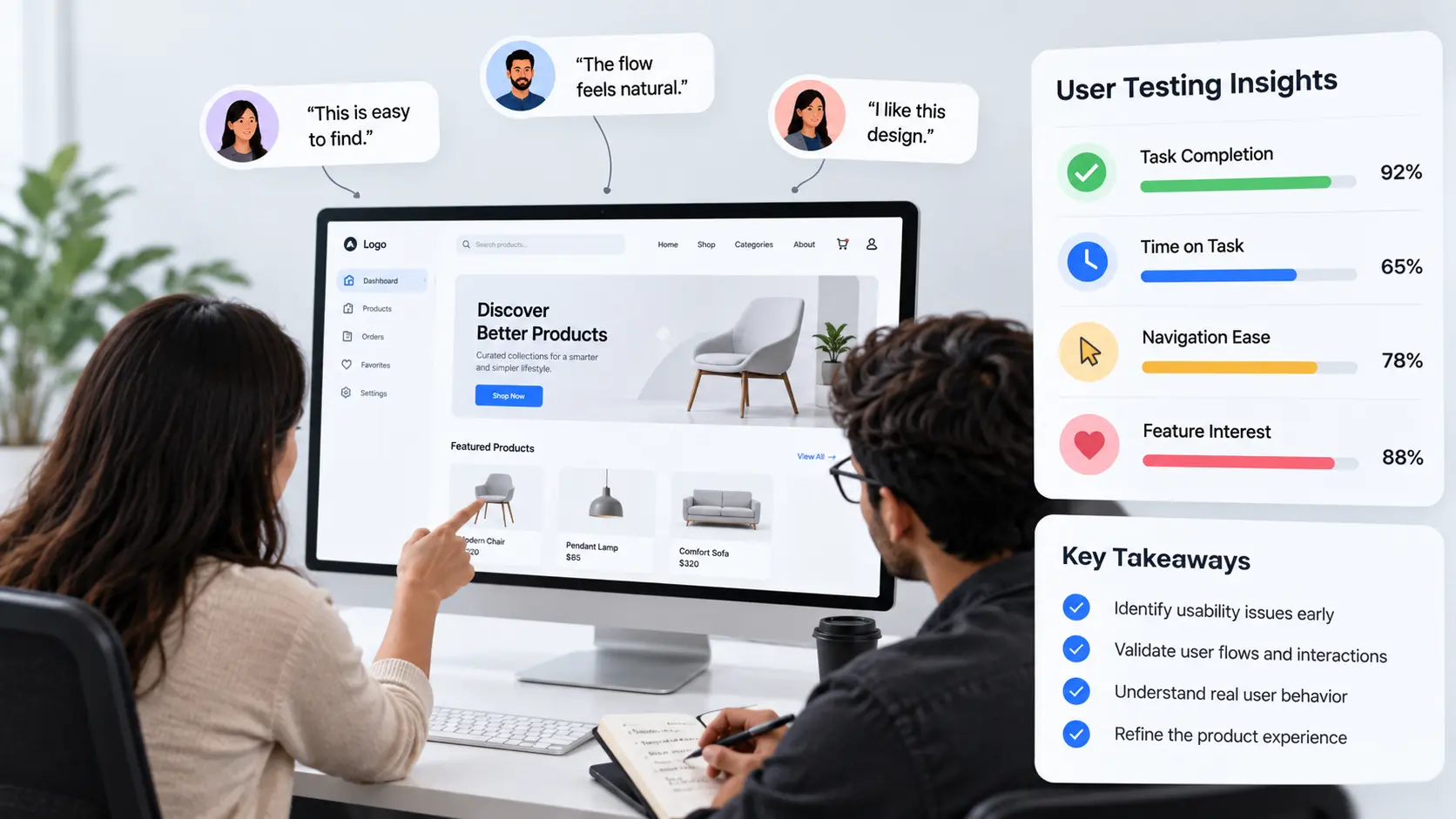
Effective wireframing can also help define product scope. By mapping the screens, actions, and user journeys required for a feature, teams can identify unnecessary complexity and focus attention on the experiences that matter most.
Most importantly, wireframing helps teams think about the product from the user's perspective before technical implementation begins.
From Wireframes to Interactive Prototypes
Once the structure of a digital product is clear, wireframes can evolve into prototypes. A prototype connects individual screens and interactions so users and stakeholders can experience a realistic representation of how the product may work.
Unlike a static wireframe, an interactive prototype can demonstrate actions such as clicking navigation elements, opening menus, completing forms, moving between screens, or following a specific task flow.
This makes prototypes particularly useful for testing user journeys. Instead of asking users whether they understand an idea, teams can give them realistic tasks and observe how they interact with the proposed experience.
Prototypes can also help uncover gaps between individual screens. A screen may look logical on its own, but the transition from one screen to another may create confusion. Interactive prototypes make these journey-level problems easier to identify.
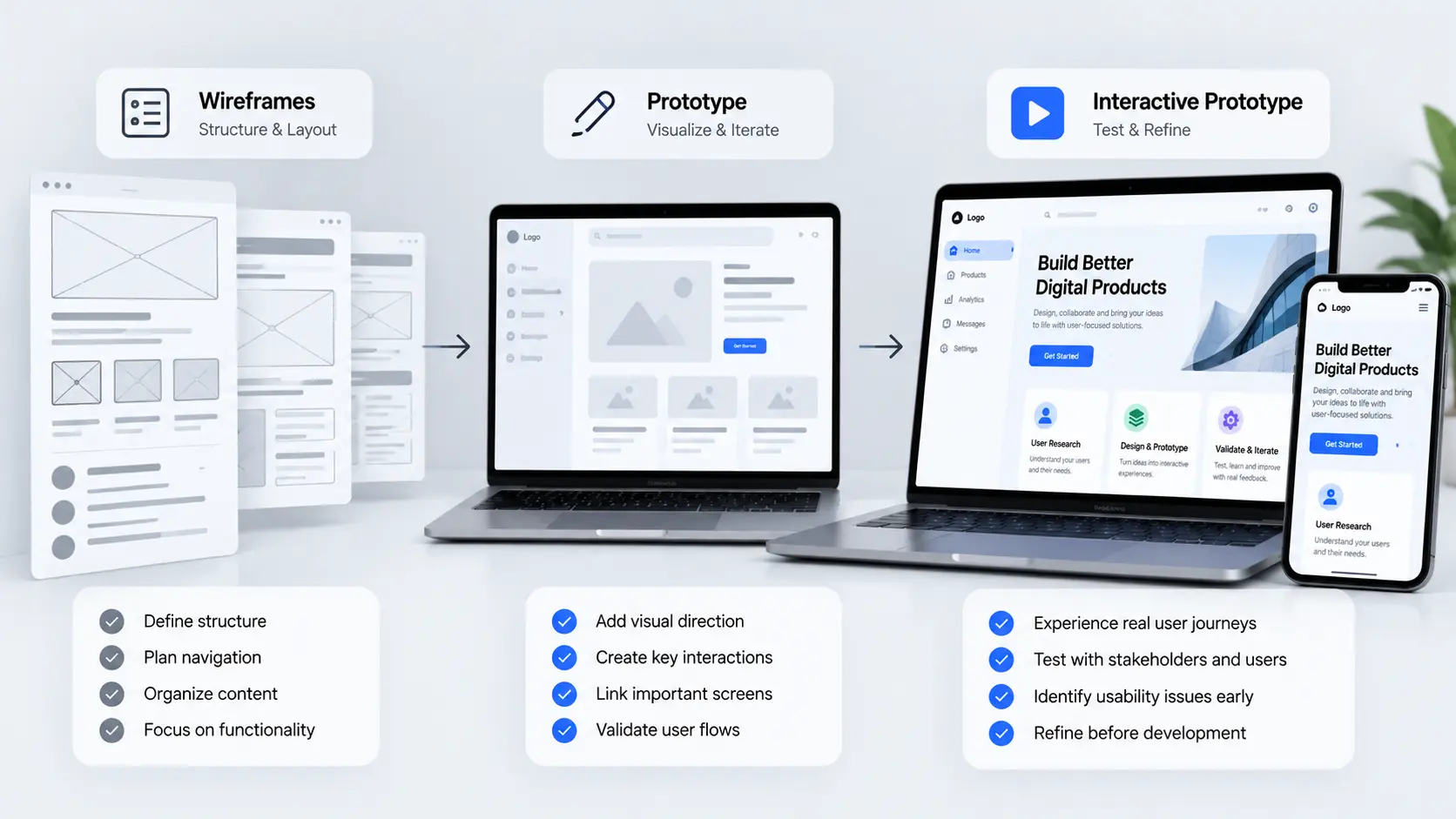
The purpose of a prototype is not necessarily to reproduce every detail of the final product. It should contain enough interaction and realism to answer the questions the team needs to validate at that stage.
Choosing the Right Fidelity
Not every project needs a highly detailed prototype. The appropriate level of fidelity depends on what the team is trying to understand or validate.
Low-fidelity wireframes: These are useful during the early exploration stage. They allow teams to quickly test layouts, navigation structures, content hierarchy, and basic product flows without spending significant time on visual design.
Mid-fidelity designs: These introduce more detail and can help clarify interface structure, content placement, and interactions while still keeping the design flexible enough for iteration.
High-fidelity prototypes: These closely resemble the intended product experience. They may include realistic typography, colors, imagery, components, animations, and interactions. They can be useful when validating detailed interactions or preparing designs for development.
The important principle is to match fidelity with the question being asked. Creating a highly polished prototype too early can consume time without providing additional insight.
Testing Prototypes with Real Users
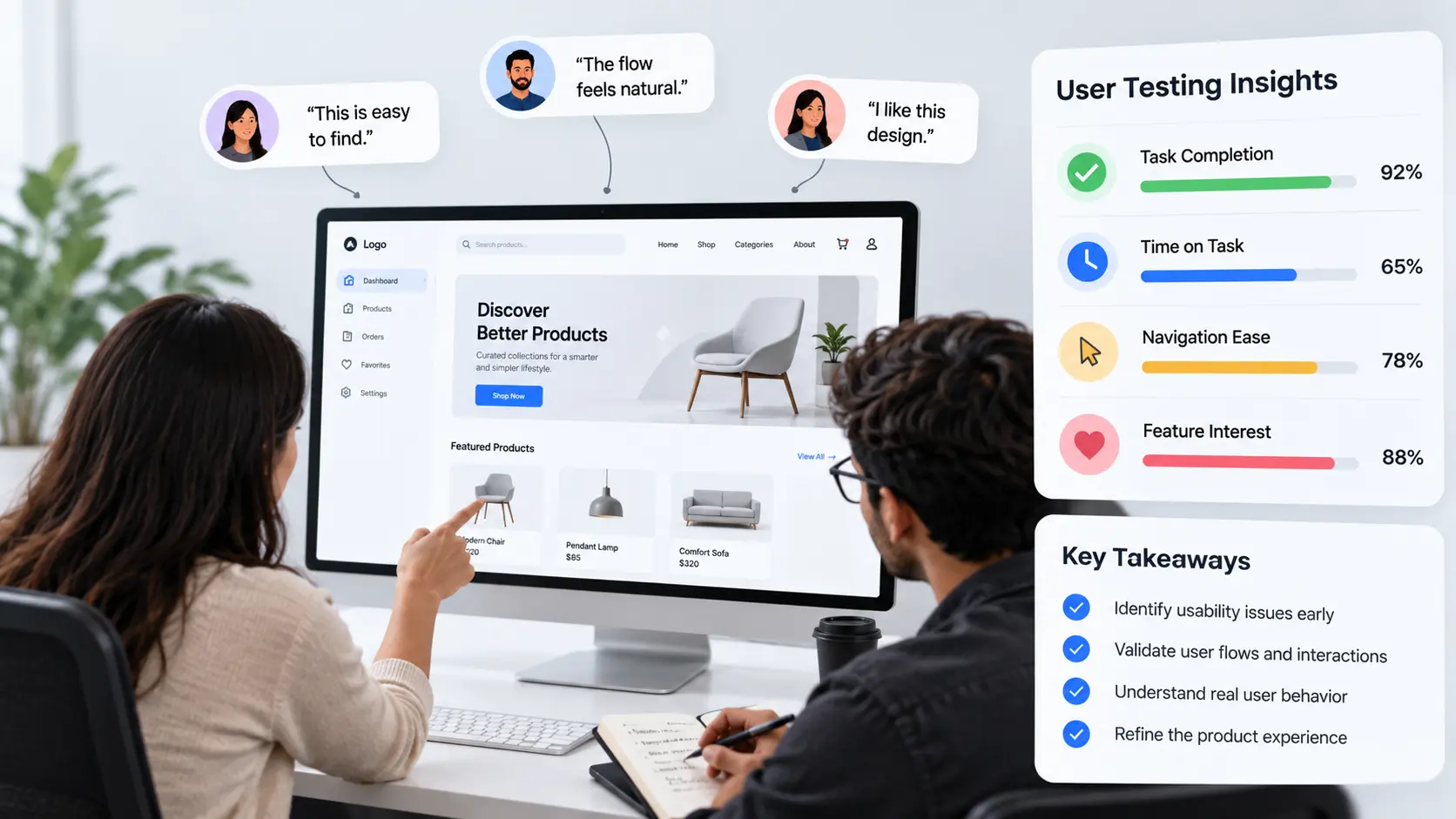
A prototype becomes significantly more valuable when it is tested with real users. User testing provides an opportunity to observe whether people can understand the interface, complete important tasks, and move through the experience without unnecessary confusion.
Testing should begin with clearly defined objectives. Teams should identify what they want to learn rather than simply asking users to explore the entire prototype without direction.
For example, a team may want to understand whether users can find a specific feature, complete an onboarding process, locate important information, or understand the next step in a workflow.
During testing, observation is often more useful than simply asking users whether they like the design. Their actions, hesitation, navigation patterns, questions, and mistakes can reveal usability problems that may not be obvious from direct feedback.
Findings should then be reviewed and prioritized. Not every observation requires an immediate design change. Teams should distinguish between usability problems, personal preferences, technical limitations, and opportunities for future improvement.
Turning Validated Designs into Development
Once the product experience has been explored and validated, the next step is translating the design into a development-ready system.
This process involves more than handing over visual screens. Developers need to understand interactions, responsive behavior, component states, content requirements, validation rules, error states, loading states, and other functional details that influence implementation.
A strong design handoff creates a shared understanding between design and development. Clear specifications, reusable components, organized assets, and documented interaction behavior can reduce unnecessary questions and inconsistencies during development.
Technical feasibility should also be considered throughout the design process. Collaboration between designers and developers can identify implementation constraints early and help the team find practical solutions without compromising the core user experience.
When wireframes, prototypes, UX decisions, and technical requirements are aligned, the transition from product design to development becomes more predictable and efficient.
Common Product Design Mistakes to Avoid
Wireframes and prototypes are powerful product design tools, but their effectiveness depends on how they are used. Several common mistakes can reduce their value.
- Jumping directly into polished UI: Starting with detailed visual design before understanding structure and user flows can make it harder to identify fundamental experience problems.
- Building overly detailed prototypes too early: High-fidelity prototypes can take considerable time. Creating too much detail before validating the basic product direction can slow down iteration.
- Testing the wrong questions: A prototype should be created with a clear purpose. Without defined learning objectives, testing can generate large amounts of feedback without producing useful product decisions.
- Ignoring edge cases: Successful experiences must account for empty states, errors, loading conditions, validation messages, unusual user behavior, and other situations beyond the ideal flow.
- Designing without development considerations: A visually strong concept still needs to be technically practical. Early collaboration can help identify constraints and avoid unnecessary rework.
- Treating the prototype as the final product: A prototype represents a proposed experience. It should continue to evolve as new research, testing, technical information, and product requirements become available.
Conclusion
Wireframes and prototypes play an important role in transforming early product ideas into clearer, more useful digital experiences. They provide a structured way to explore product concepts, define user journeys, communicate ideas, test assumptions, and identify usability problems before development begins.
The most effective process is not about creating the most detailed prototype possible. It is about creating the right level of representation for each stage of the product journey and using it to answer meaningful questions.
By combining thoughtful wireframing, purposeful prototyping, real-user validation, and close collaboration between design and development, teams can reduce uncertainty and build digital products with greater clarity and confidence.
From the first structural wireframe to the final development handoff, every stage should contribute to a clearer understanding of what users need and how the product can deliver it.
Frequently Asked Questions
- What is the difference between a wireframe and a prototype?
A wireframe primarily communicates the structure, layout, hierarchy, and functionality of a digital product. A prototype adds interaction, allowing users and stakeholders to experience how different screens and user flows may work together. - Why should wireframes be created before detailed UI design?
Wireframes help teams solve structural and usability questions before investing heavily in visual details. This makes it easier to change layouts, navigation, and user flows during the early stages of product design. - When should a prototype be created?
A prototype can be created once the key product structure and user flows are sufficiently clear. The appropriate level of detail depends on what the team needs to validate at that stage. - How detailed should a prototype be?
The level of detail should match the purpose of the prototype. Low-fidelity prototypes can be useful for exploring structure, while higher-fidelity prototypes are more appropriate when testing detailed interactions and realistic user journeys. - Should prototypes be tested with real users?
Yes. Testing with real users can reveal navigation problems, unclear interactions, confusing content, and other usability issues that may not be obvious to the product team. - Can prototypes reduce development costs?
Prototypes can help identify product and usability issues before development is completed. Finding and addressing problems earlier can reduce the amount of rework required later in the product development process. - What should be included in a development-ready design?
Development-ready designs should communicate layouts, responsive behavior, interactions, component states, content requirements, validation, error states, and other details developers need to implement the experience accurately. - Are wireframes and prototypes only useful for new products?
No. They can also be useful when redesigning existing websites, applications, SaaS products, or software. They provide a structured way to explore improvements before making significant changes to the existing product.
Insights | September, 2026
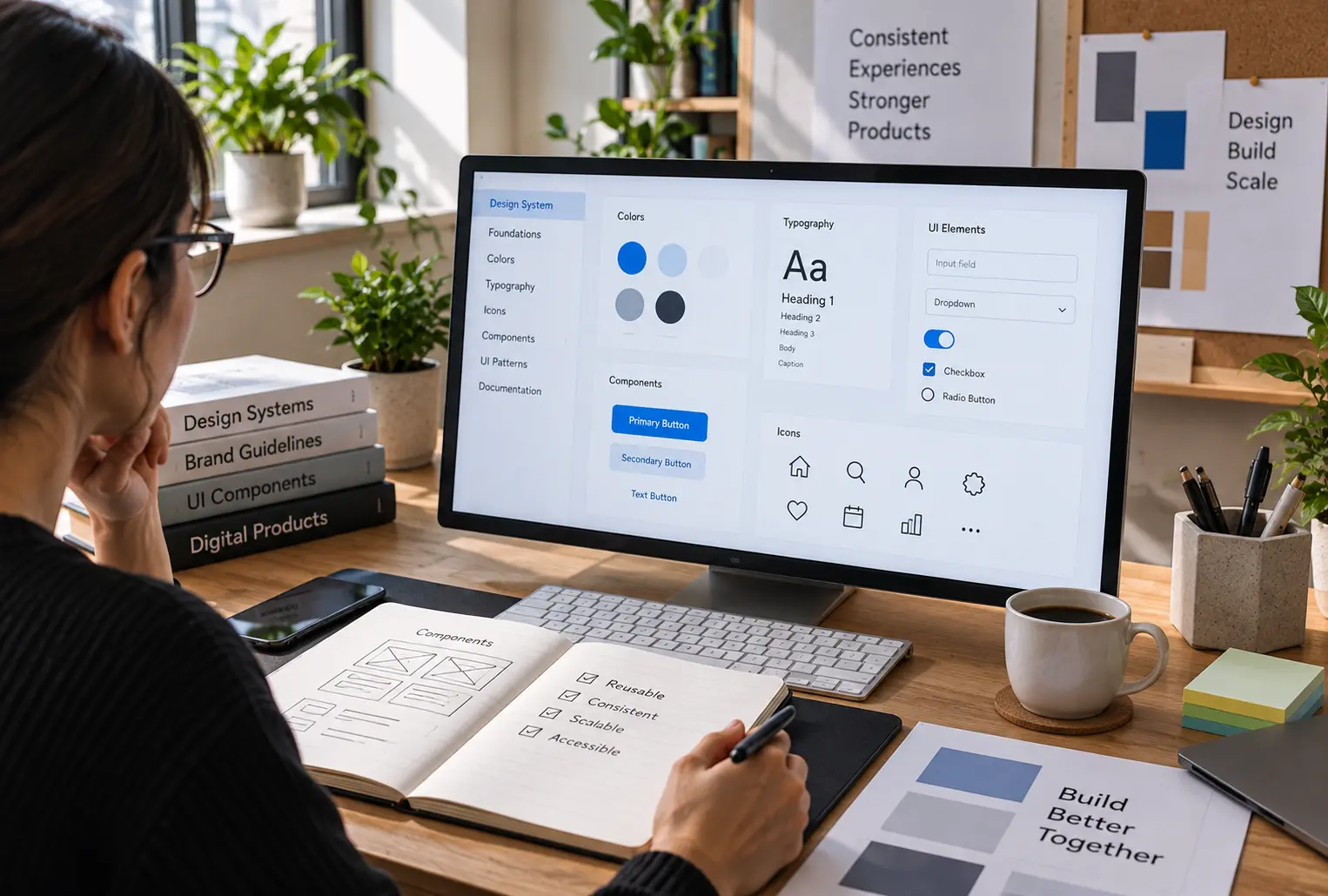
Designing Scalable Design Systems for Consistent Digital Experiences
Discover how a well-structured design system improves consistency, speeds up product design, and creates a more connected experience across digital platforms.
Brandube

Insights | September, 2026
Building Scalable SaaS Products: From Idea to Launch
Discover how to transform a SaaS concept into a scalable digital product by combining user-focused design, reliable development, and a clear product strategy.
Brandube

Insights | September, 2026
Web Development Essentials for Fast, Scalable, and Reliable Websites
Explore the core development principles that help businesses build fast, secure, scalable websites designed for reliable performance and long-term growth.